
Automating with Siri Shortcuts
SmartTracker publishes actions to the Shortcuts app, so adding an item or checking a price can happen inside a larger automation, or by asking Siri, without touching the app at all.
The actions available
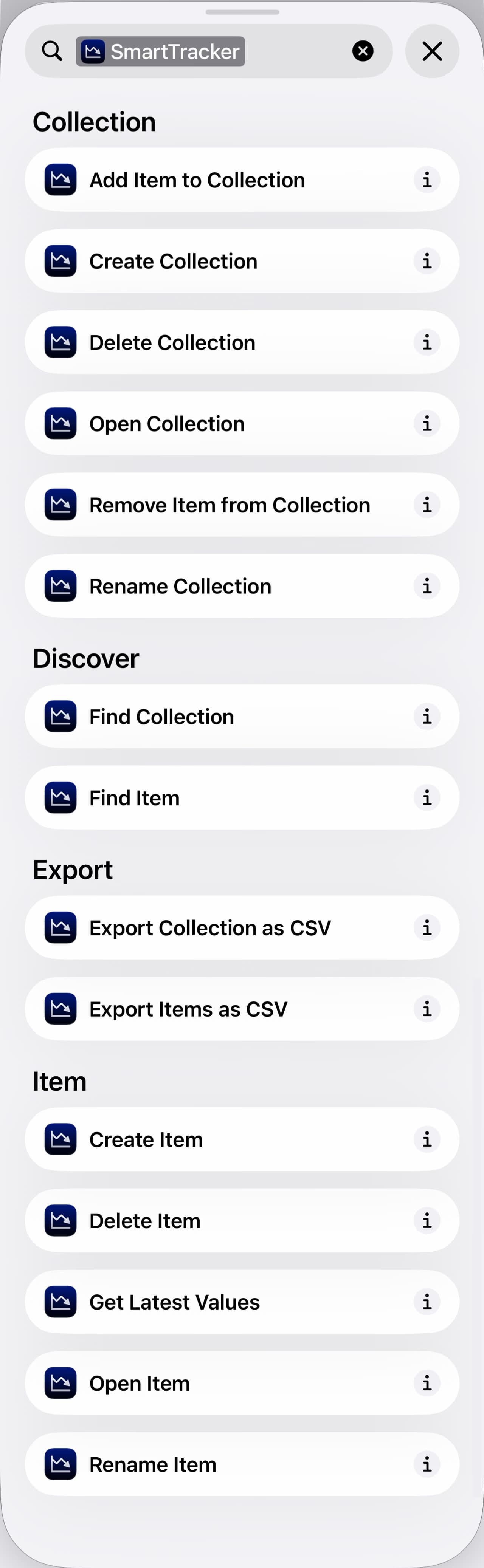
Open the Shortcuts app and search for SmartTracker to see everything it offers, grouped by what it acts on. The two most useful are Create Item, which takes a URL, and Get Latest Values, which reads what SmartTracker last recorded for an item. The second returns a value you can use in the rest of a shortcut.
Asking Siri
Any shortcut you build can be run by name. Give it a short, distinct phrase. "Check my prices" works better than something long, and Siri will run it from anywhere, including from a HomePod or Apple Watch that has your shortcuts. Apple's own reference for the voice side is running shortcuts with Siri (opens in a new tab).
A worked example
Ask Siri and hear the answer without looking. Build a shortcut with a single Get Latest Values action, pick the Item and the Field you care about, and give it a short name. SmartTracker supplies the sentence Siri reads back, so nothing else is needed to hear it.
This is useful for the one thing you actually care about. It is not a replacement for alerts. A shortcut answers when you ask, whereas an alert fires when the price actually moves.